
Tips & guides
Water-damaged phone – what really matters now
After liquid damage, quick and considered action matters more than home remedies. This guide explains what helps now and what can cause further damage.
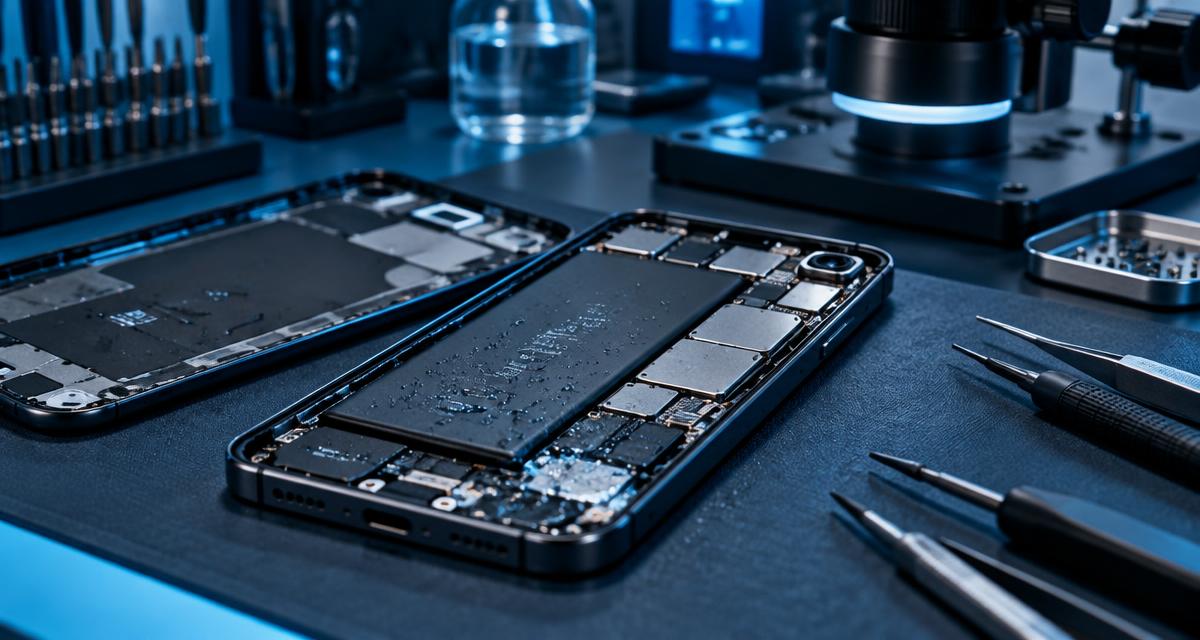
It only takes a moment: your smartphone slips into the sink, falls into the pool, gets splashed with a drink, or gets caught in the rain. With modern smartphones especially, moisture can quickly cause problems — sometimes immediately, sometimes only days or even weeks later.
The key thing after liquid damage isn't trying out as many home remedies as possible, but taking the right steps quickly to prevent further damage.
In this article, we'll show you what to do when your smartphone gets wet, which common tips you should ignore, and when a professional inspection makes sense.
1. Stay calm — and stop using the smartphone
If your smartphone has just gotten wet, the first rule is:
If the device is still on, you should switch it off as quickly as possible. As long as the smartphone is powered, moisture inside can cause short circuits or other electrical damage.
Especially important:
Even if the device still seems to work normally at first, moisture may be present in the charging port or on the circuit board. If the smartphone has already turned off, you shouldn't turn it back on just to test whether it still works.
2. Dry the outside — but without heat
First, remove any visible liquid from the outside of the device. You can carefully dry the smartphone with a clean, absorbent cloth. Ports and openings should also be as dry as possible.
Keep in mind:
- Avoid using a hairdryer with hot air
- Avoid heaters
- Never use an oven
- Never use a microwave
- Avoid strong compressed air
- Don't shake the device vigorously
- Don't turn the device back on just to test it
- Don't plug in a charging cable
Excessive heat can, for example, damage adhesive seals, gaskets, the display, or the battery. With a lithium-ion battery in particular, additional heat should always be avoided.
Shaking the device vigorously isn't a good idea either: it won't reliably remove the liquid and may simply spread it further inside the device.
3. Not all water is the same
How serious liquid damage is also depends on what kind of liquid got into the smartphone. With clear water, the consequences can be comparatively minor.
Significantly more problematic are, for example:
- Salt water
- Seawater
- Pool water
- Soft drinks
- Coffee
- Beer and other alcoholic beverages
- Fruit juices
- Milk
- Sugary drinks
These liquids can leave residue on the electronics. This residue can later lead to corrosion, leakage currents, or short circuits.
4. Why a smartphone may still work despite water damage
This is one of the most common misconceptions. A smartphone can continue to work completely normally right after liquid damage. That doesn't necessarily mean everything is fine, though.
Moisture can, for example:
- Corrode contacts
- Attack circuit traces
- Damage connectors
- Impair components
- Cause short circuits
- Trigger electronic faults in the long run
That's why the actual damage sometimes only becomes visible later. The smartphone still works today — and days or weeks later, problems suddenly appear with charging, powering on, Wi-Fi, the camera, the touchscreen, or the battery.
5. What about the liquid indicator inside the smartphone?
Many smartphones have what are known as Liquid Contact Indicators (LCIs), or moisture indicators. These small indicators can show whether the device has come into contact with liquid.
However, they're not conclusive proof that the entire smartphone is dry or undamaged. An indicator that hasn't been triggered doesn't automatically mean there's no moisture present. Conversely, a triggered indicator can show contact with liquid without indicating the actual extent of the damage.
6. Rice doesn't help with water damage
This tip is probably one of the best-known smartphone home remedies: "Just put the phone in rice." We'd advise against it.
Rice can't reliably remove moisture from inside a smartphone. On top of that, small particles can get into openings.
7. Silica gel isn't a substitute for a repair either
Desiccants like silica gel can absorb moisture from the surrounding air. But that doesn't mean liquid and residue automatically disappear from a smartphone's circuit board.
With liquid damage, moisture can, for example, be trapped under shields, connectors, or components. That's why, with serious water damage, even a sealed bag of desiccant isn't necessarily enough.
8. Should you open the smartphone yourself?
Caution is advised here. Modern smartphones are built very compactly. The battery, display, seals, cameras, flex cables, and circuit board are all packed into a tight space. Opening the device yourself can cause additional damage.
Even more importantly: water damage at the circuit-board level can't simply be fixed by "drying it out." In a professional service, the device can be disassembled in a targeted way, the affected electronics examined, and — depending on the damage — cleaned and checked for corrosion or damaged components.
Simply soaking a circuit board in liquid at home, as some older guides recommend, isn't a generally advisable approach.
9. What happens during a professional inspection?
With liquid damage, it's not just about whether the smartphone currently works. The key question is: has the liquid already caused damage to the electronics?
Depending on the device and the damage, a proper inspection can include, among other things:
- Visual inspection of the circuit board
- Checking connectors and flex cables
- Examination for corrosion
- Checking affected power-supply areas
- Checking charging electronics and ports
- Measurements on the circuit board
- Targeted cleaning of affected areas
- Checking for short circuits
- Repairing individual components or circuit traces where needed
Especially with more complex liquid damage, a repair at the circuit-board level can make more sense than replacing the entire board.
10. Especially important: back up your data
If your smartphone still works after liquid damage, you shouldn't spend hours testing whether everything really works. If there's important data on the device, a backup can be worthwhile — but the device shouldn't be run or charged for longer than necessary in the process.
11. When should you have your smartphone checked?
A professional inspection is especially worthwhile if:
- The smartphone fell into water
- Liquid got into the ports
- The device came into contact with cola, coffee, or other drinks
- It was salt water or pool water
- The smartphone suddenly stops charging
- The battery drains unusually fast
- The device gets warm
- The smartphone restarts or crashes
- The camera, Wi-Fi, Bluetooth, or touchscreen suddenly act up
- The device only works partially after the water damage
And even if it seems to be working again, an inspection can still be worthwhile.
12. Water-resistant doesn't mean indestructible
Many modern smartphones are advertised as water- or dust-resistant. This is often equated with "waterproof."
In reality, the level of protection depends, among other things, on the device's structural condition. Seals can age, housings can be damaged, and after a repair the original protection may no longer be present in the same way.
13. Does the warranty cover water damage?
Here you need to distinguish between different terms. A manufacturer's warranty can have its own conditions and may exclude liquid damage.
Statutory warranty rights are also not the same as a voluntary manufacturer's warranty, and they don't automatically apply to liquid damage caused by the customer.
Whether a specific case of damage is covered therefore depends, among other things, on the device, the cause, and the relevant warranty or contract terms. With water damage, you shouldn't rely solely on a general statement like "the phone is waterproof" or "I still have warranty."
Conclusion: after water damage, the right approach is what matters most
The most important points can be boiled down to a few steps:
- Turn the smartphone off.
- Stop charging it.
- Carefully dry the outside.
- Don't use heat or home remedies like rice.
- Have serious liquid damage professionally inspected.
The sooner liquid damage is properly assessed, the better you can determine what damage has actually occurred.
With damage at the circuit-board level, it may even be possible to repair individual components in a targeted way without having to replace the entire board.
Water damage on your smartphone?
If your device no longer works properly after liquid damage, or you're unsure what to do next, you can describe the damage to us.
RD-Repairstore — repairs at the circuit-board level. We check what's actually damaged and discuss the possible next steps with you transparently.
RD-Repairstore
Device not working?
We check what is actually damaged and discuss the possible next steps openly with you.
Request a repair